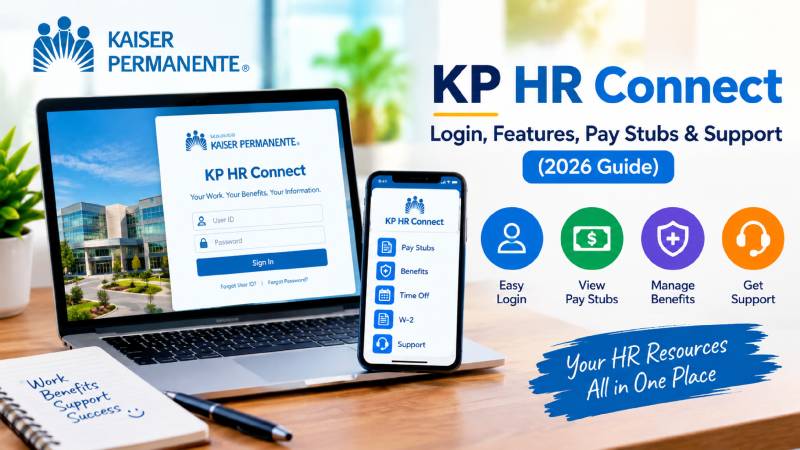
KP HR Connect: Note: This is an independent guide. It is not official Kaiser Permanente communication, and it is not affiliated with KP.
What Is KP HR Connect?
KP HR Connect is the employee HR portal for Kaiser Permanente workers. Employees also call it My HR. The web address is hrconnect.kp.org.
Think of it as one place for the paperwork side of your job. Pay. Time off. Benefits. Leave requests. Career tools. Instead of emailing HR for every small question, you log in and handle it yourself.
One thing to know right away: the homepage is public. You can see the menu, but the actual data sits behind a login. Your pay stubs and personal details never load until you sign in.
Who Can Use KP HR Connect?
The portal is built for Kaiser Permanente staff across the regions KP serves. When you land on the site, it asks you to pick where you work. The options cover Northern California, Southern California, Colorado, Georgia, Hawaii, the Mid-Atlantic states (Virginia, DC, Maryland), and the Pacific Northwest (Oregon and Washington).
There is also a group picker for people who do not fit a standard region. It lists options such as Maui Health System, Washington Region, Executives, IT, and Program Offices.
This step matters. Benefits and policies differ by region. If you pick the wrong location, you may see the wrong plan documents.
How to Log In to KP HR Connect
Step 1: Get your NUID ready
KP uses a National User ID, or NUID, as your sign-on name. The sign-in screen says plainly: “Please sign on using your NUID” .
Your NUID is not a secret code you invent. Your manager or HR team sets it up for you. Contingent workers — anyone who is not a KP employee but needs facility access — also get one .
Step 2: Sign in
Go to hrconnect.kp.org and choose your location. Then sign in with your NUID and password. Depending on where you are, you may pass through MyKP first at mykp.kp.org .
Step 3: Expect extra security
KP systems use two-factor authentication. In practice, that means a phone prompt or a code on top of your password. It adds a few seconds. It also stops most account takeovers, so do not try to skip it.
Step 4: Do not bookmark the location page
This one trips up a lot of people. KP warns that if you bookmark the page after you pick a location, your choice may not stick. The fix is to bookmark My HR’s homepage instead.
What You Can Do Inside KP HR Connect
The menu splits into clear buckets. Here is what sits where.
Money and Time
This section handles the money side of your job. You can view My Pay, check Time Off (absences), start a Leave of Absence and submit required leave documents, grab your W-2, and open Employee Discounts .
Practical tip: download your W-2 as soon as it appears. Old tax years sometimes drop off the visible list, and chasing a copy later means a support call.
Benefits and Wellness
Here you can enroll in benefits, submit required documents, read benefit coverage summaries, track requests through My Cases, and reach Workforce Well-Being resources .
The My Cases tool is underrated. If you open a ticket about a benefits problem, the case number is your paper trail. Note it down.
Career and Development
The portal also links to career and development content .
Separate from My HR, KP runs KP Learn, its company-wide learning system. It serves employees, physicians, and contingent workers. New users typically get access about one business day after a manager requests their NUID .
Employee discounts
KP discounts run through a third-party perks site, not My HR itself. You can browse offers at the KP savings portal .
Fixing the Most Common KP HR Connect Problems
“Please select where you work” keeps appearing
This is the single most common complaint. KP lists four usual causes: you switched computers or browsers, your browser updated, you cleared your cookies, or you saved the wrong page as a bookmark.
Quick fixes, in order:
- Stop using the bookmarked link. Go to hrconnect.kp.org fresh.
- Allow cookies for kp.org. Blocking them breaks the location memory.
- Try a different browser or a private window.
- If it still fails, use the “having an issue setting your location” contact link on that page.
Forgot your password or locked out
KP runs a dedicated sign-on recovery page at forgotpassword.kp.org.
If recovery does not work, call the KP IT Service Desk at 1-888-457-4872. They will ask you to confirm your NUID before they help.
Blocked on your phone
Some employees report that PingID blocks access when they try to check pay stubs on a personal phone .
If that happens, try a laptop on your home network first. If the block follows you, it is an account or device issue, not a website outage. Call the IT Service Desk.
Former employees and W-2s
This is a real pain point. People who left KP sometimes cannot get back into the portal to grab a W-2.
Two paths that work better than guessing at the login screen:
- Call the National HR Service Center and ask for a W-2 reissue.
- For employment verification, KP uses The Work Number, a separate vendor.
Keep in mind that access rules for former employees differ from active staff. Ask directly rather than assuming your old login still works.
Mixed experiences with outsourced support
Some employees say they called HR benefits and got no real help, just the same public information . Others have complained about long waits and overseas call centers.
What actually helps: be specific. Give your NUID, the case number, the plan name, and the exact date. Vague questions get generic answers.
Contacting KP HR Support
Two different phone lines handle two different problems. Mixing them up wastes time.The National HR Service Center also lists a fax line at 1-877-477-2329 and a mailing address at P.O. Box 2074, Oakland, CA 94604-2074. Current and former employees can reach National HR Services for general assistance at the same toll-free number.
Support hours can change, so confirm them on the official page before you plan a call.
Internal technical requests may also route through KP’s ServiceNow portal, though it loads behind a login .
Security Tips That Save Real Headaches
- Never enter your NUID on a lookalike site. Only use hrconnect.kp.org. Unofficial “guide” pages exist online that imitate the name and funnel users elsewhere. If a page asks for your KP password and the address is not a kp.org domain, close it.
- Read the login banner. KP’s sign-on page states that you are accessing a private system, that your use is monitored, and that sensitive data like PII and PHI should only be downloaded to KP-provided devices.
- Use KP devices for sensitive downloads. This is a policy requirement, not a suggestion.
- Log out on shared computers. Clinical and shared workstations are common places for leaked sessions.
- Report suspicious prompts. The banner calls every employee “the first line of defense against cyberattacks”
Final Thoughts
KP HR Connect is a solid self-service tool once you understand its quirks. The location picker is the main friction point. Bookmarks and blocked cookies cause most of it.
Handle the basics yourself: save the homepage, not the location page. Know your NUID. Keep the two phone numbers separate. Download your W-2 early.
For anything money-related or time-sensitive, always confirm details on the official KP page or with HR directly. Portals change, numbers change, and policies vary by region — your own plan documents are the final word. Visit gngmeaning